
Shopify Inventory Location: Cut Film Shoot Delays 30% in 2026

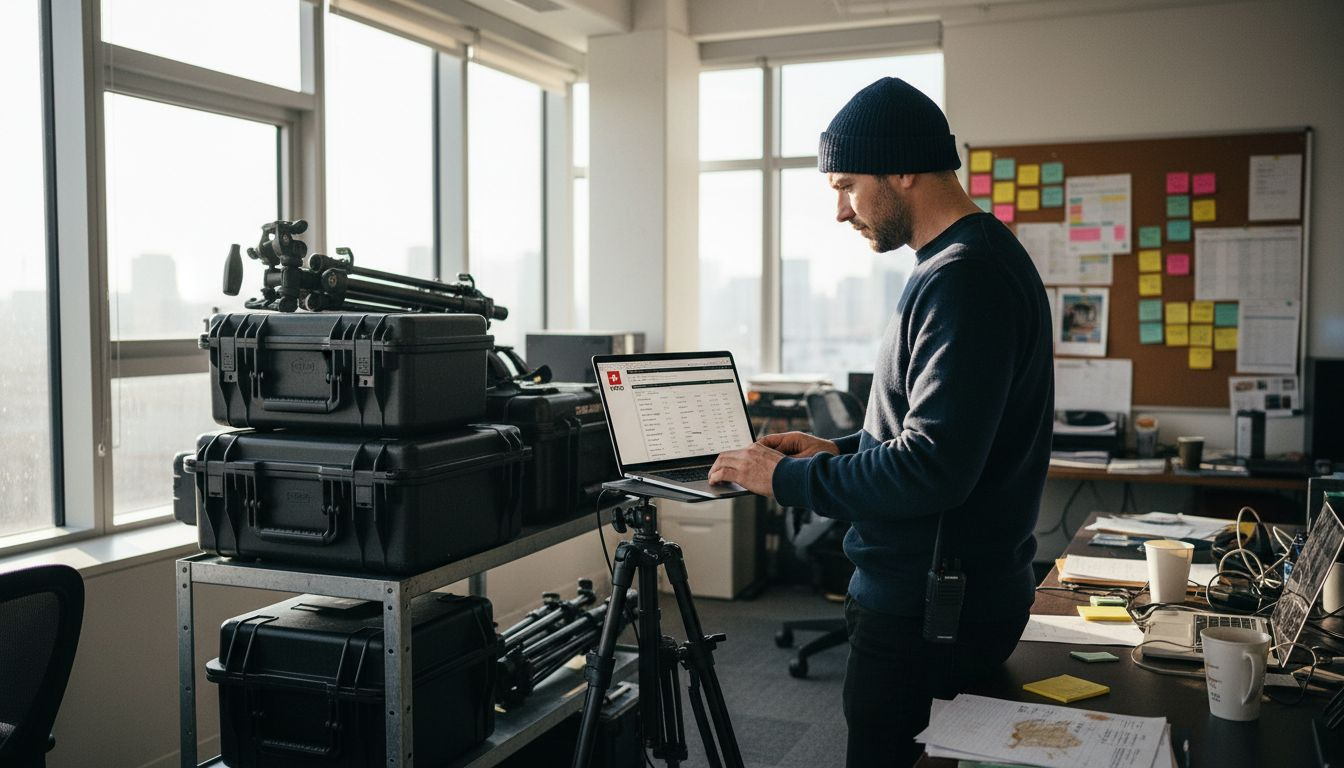
Missing a camera rig in Zurich when your crew is in Geneva can derail an entire shoot day. International film productions face constant inventory challenges across multiple Swiss locations, but Shopify’s multi-location management reduces stock-related errors by 25-35%. This guide shows you how to leverage Shopify’s inventory location features to eliminate equipment mishaps and keep your production on schedule.
Table of Contents
Key Takeaways
Point | Details |
Multi-location tracking prevents overselling | Shopify tracks stock across unlimited locations, reducing delays and equipment conflicts |
Setup requires location details and SKU cataloging | Complete physical addresses and comprehensive equipment lists are essential before configuration |
Automation eliminates manual errors | Reorder alerts and routing rules prevent stockouts and ensure efficient fulfillment |
Regular audits maintain accuracy | Physical counts and barcode scanning keep digital records aligned with actual inventory |
Implementation timeline | Initial setup takes 1-3 days; ongoing maintenance requires 3-5 hours weekly |
Introduction to Shopify Inventory Locations for Film Production
Shopify supports unlimited inventory locations depending on your plan, making it ideal for coordinating film equipment across multiple Swiss sites. Shopify allows multi-location inventory tracking for warehouses, retail, and 3PL partners, reducing delays and errors. This capability is essential when you need to track cameras, lighting kits, and sound equipment across Geneva, Zurich, and third-party logistics hubs simultaneously.
The system tracks inventory across warehouses, retail stores, and third-party logistics providers in real time. Multi-location management reduces errors, stockouts, and shipping delays that commonly plague international film shoots requiring precise equipment availability.
For production companies managing multiple inventory locations, Shopify offers:
Real-time visibility into stock levels at each location
Automated fulfillment routing to ship from the nearest available site
Transfer capabilities to rebalance inventory between locations
Integration with complex supply chains involving rental houses and logistics partners
Detailed reporting to identify usage patterns and optimize stock placement
This functionality supports integration with the complex supply chains relevant to film production, where equipment often moves between storage facilities, rental partners, and active shoot locations. You gain complete control over where each piece of gear sits and when it needs to move.
Prerequisites: What You Need Before Setting Up
Before configuring multi-location inventory in Shopify, gather essential information and verify your account capabilities. A Shopify plan supporting multi-location inventory is required, typically available on Shopify plans and higher. Check your plan features before proceeding.
You need a detailed list of physical inventory sites with exact addresses. Include warehouses, storage facilities, retail locations, and any third-party logistics partners managing your equipment. Each location requires a unique name and complete address for proper fulfillment routing.
Comprehensive SKU cataloging of all film equipment is essential. Every camera body, lens, tripod, lighting fixture, and audio device needs a unique identifier. Missing SKUs create gaps in your inventory tracking and lead to fulfillment errors during critical shoot windows.
Access to Shopify admin with required permissions is necessary to add locations and modify inventory settings. Verify you have owner or staff permissions with inventory management capabilities enabled. Without proper access, you cannot complete the configuration steps.
Develop a basic understanding of inventory states and fulfillment workflows before starting. Know the difference between available, committed, and on-hand inventory. Understanding how scheduling for film shoots impacts stock allocation helps you configure routing rules that match your production calendar.
Key prerequisites include:
Shopify plan with multi-location support
Complete physical location details with exact addresses
Full SKU catalog for all equipment and accessories
Admin account access with inventory permissions
Clear understanding of your fulfillment workflow
Companies managing production logistics benefit from documenting current inventory processes before migration. Map out how equipment currently moves between locations, who authorizes transfers, and how you handle returns from shoots. This documentation informs your Shopify configuration and ensures nothing gets overlooked during setup.
Step-by-Step Shopify Inventory Locations Setup
Login to your Shopify admin dashboard and navigate to Settings, then Locations. Click Add location to create your first inventory site. Enter a descriptive name like Geneva Warehouse or Zurich Equipment Hub that clearly identifies the physical location. Add the complete street address including postal code and country.
Step-by-step setup typically completes within hours to one day depending on location count. Repeat this process for every physical site where you store or manage film equipment. Accuracy matters because Shopify uses these addresses for shipping calculations and fulfillment routing.
After adding all locations, assign stock levels to each one. Navigate to Products, select an item, and scroll to the Inventory section. You’ll see a table showing all your locations with quantity fields. Enter the actual stock count at each site. For productions that transport heavy equipment safely between locations, accurate counts prevent double-booking gear that’s in transit.
Configure fulfillment priority to control order routing. Go to Settings, then Shipping and delivery, and select Manage rates. Set priority rankings for each location so Shopify automatically fulfills from your preferred site first. This reduces shipping time and cost by routing orders to the nearest available inventory.
Test your configuration by creating test orders and simulating stock transfers. Place a sample order and verify Shopify selects the correct fulfillment location based on your priority rules. Create a transfer between two locations and confirm inventory adjusts properly at both sites.
Setup Step | Action Required | Estimated Time |
Add locations | Enter name and complete address for each site | 15-30 minutes |
Assign stock | Input current quantities for all SKUs at every location | 2-6 hours |
Configure routing | Set fulfillment priority and shipping rules | 30-60 minutes |
Test setup | Create test orders and transfers to verify accuracy | 1-2 hours |
Pro Tip: When configuring inventory locations setup, start with your highest-volume sites first. This lets you test routing logic on your busiest locations before adding smaller facilities that handle specialized equipment.
Document your fulfillment rules in a simple reference guide. Note which location handles specific equipment categories, priority rankings, and any exceptions to standard routing. This documentation helps staff understand the system and maintains consistency during busy production periods.
Automation and Order Routing Best Practices
Set reorder points and low-stock alerts for each inventory location to prevent equipment shortages during critical shoots. Navigate to each product’s inventory settings and define the minimum quantity threshold. When stock drops below this level, Shopify sends automatic notifications to designated team members. Automation reduces stockouts significantly, increasing operational reliability by up to 30%.

Use order routing rules to fulfill orders from the nearest available location, reducing shipping time and cost. Configure geographic prioritization so Geneva orders ship from Geneva inventory first, falling back to Zurich only when local stock is unavailable. This approach minimizes transit time for urgent equipment requests.
Automate stock transfers between locations to balance inventory and prevent localized shortages. Schedule regular reviews of stock distribution and create transfer orders to move excess equipment from underutilized sites to high-demand locations. Automation eliminates the manual tracking that leads to overselling and disappointed clients.
Avoid manual errors with system alerts and automated workflows that flag discrepancies. Enable notifications when inventory levels don’t match expected patterns or when transfers remain incomplete beyond normal timeframes. These alerts catch problems before they impact active productions.
Key automation strategies include:
Setting reorder points 20-30% above your minimum safe stock level
Configuring alerts to email multiple team members for redundancy
Creating automatic transfer suggestions based on historical demand patterns
Using inventory forecasting tools to predict equipment needs for upcoming shoots
Implementing approval workflows for high-value equipment transfers
Pro Tip: Align your reorder alerts with production timelines rather than just stock levels. If you know a major shoot requires specific cameras in three weeks, set temporary alerts that trigger earlier than normal to ensure gear arrives with buffer time.
Companies that automate production inventory management report fewer last-minute equipment crises and smoother coordination with international crews. The system handles routine monitoring while your team focuses on creative and logistical challenges that require human judgment.
Common Mistakes, Troubleshooting, and Maintenance
Failing to set correct fulfillment priority, skipping stock counts, and neglecting transfers cause overselling and stock imbalances with up to 20% delay impact. Incorrect fulfillment priority causes overselling when Shopify routes orders to locations with inaccurate inventory counts. Review and update priority settings quarterly or whenever you add new locations.
Neglecting regular physical stock counts leads to discrepancies between Shopify records and actual equipment availability. Digital systems drift from reality without periodic verification. Schedule monthly cycle counts covering different equipment categories each session rather than attempting full inventory counts that disrupt operations.
Failing to track inventory transfers causes data imbalances where equipment disappears from one location without appearing at the destination. Always complete both sides of a transfer transaction in Shopify immediately. If physical movement and digital records don’t sync, you lose visibility into equipment location.
Common maintenance practices include:
Weekly spot checks of high-turnover equipment categories
Monthly full cycle counts rotating through different inventory segments
Quarterly review of fulfillment priorities and routing rules
Immediate reconciliation of any transfer discrepancies
Annual deep audit comparing digital records against physical inventory
Use barcode scanning to maintain accuracy and speed up physical counts. Scanning eliminates manual data entry errors and captures counts three to five times faster than clipboard methods. Invest in rugged mobile scanners that survive warehouse environments.
Troubleshooting steps for resolving common issues:
Overselling errors: Verify fulfillment priority settings and check for negative inventory at secondary locations. Adjust available quantities and review recent orders to identify the source.
Missing transfers: Search for incomplete transfer orders in your Shopify admin. Complete any pending transfers and reconcile inventory counts at both origin and destination.
Inaccurate counts: Compare recent sales and transfers against current quantities. Conduct a targeted physical count of affected SKUs and adjust Shopify records to match reality.
Routing failures: Review shipping zones and location settings. Ensure addresses are complete and priority rankings reflect current operations.
Productions that manage multiple locations effectively establish clear ownership for inventory accuracy. Assign specific team members responsibility for each location’s data quality. This accountability ensures problems get addressed promptly rather than accumulating over time.
Safety and Security Considerations for Equipment Logistics
Ensure secure storage with controlled access at all inventory locations to protect valuable film equipment. Install security cameras, access control systems, and alarm monitoring at warehouses and storage facilities. Limit physical access to authorized personnel only, using key cards or biometric systems to track who enters equipment areas.
Security measures such as controlled access and GPS tracking reduce equipment theft and loss by up to 50%. This statistic underscores why production companies must treat security as seriously as inventory accuracy. The financial impact of losing a cinema camera package or specialized lighting kit extends beyond replacement cost to include production delays and client relationships.
Utilize GPS tracking for high-value equipment transport between locations or to shoot sites. Attach discrete GPS devices to camera cases, lighting kits, and other portable assets worth over $5,000. Real-time tracking lets you monitor equipment location during transit and quickly locate items if they go missing.
Implement protocols to reduce theft and loss risks throughout the equipment lifecycle. Require sign-out sheets for all gear leaving facilities, with specific return dates and responsible party information. Conduct inspections when equipment returns to verify condition and completeness before returning items to available inventory.
Security measures such as controlled access and GPS tracking reduce equipment theft and loss by up to 50%, making them essential investments for production companies managing valuable film gear across multiple Swiss locations.
Key security practices include:
Installing security cameras with 30-90 day recording retention
Using access control systems that log entry and exit times
Attaching GPS trackers to equipment cases worth over $5,000
Requiring dual signatures for high-value equipment checkouts
Conducting random audits of equipment sign-out procedures
Insuring inventory with policies covering theft, damage, and loss
Companies that secure transport of equipment use dedicated vehicles with GPS tracking and secured cargo areas. Never leave equipment visible in unattended vehicles. Use nondescript cases that don’t advertise expensive contents to opportunistic thieves.
Establish clear incident response procedures for missing or stolen equipment. Document serial numbers, purchase dates, and replacement values for all items. This information speeds insurance claims and police reports. Train staff to report missing items immediately rather than hoping equipment reappears.
Expected Results and Timelines for Shopify Multi-Location Inventory
. Typical initial setup duration depends on how many locations you manage and the size of your equipment catalog. A production company with three locations and 500 SKUs typically completes setup in one to two days. Complex operations with ten locations and thousands of items may require three days or more.
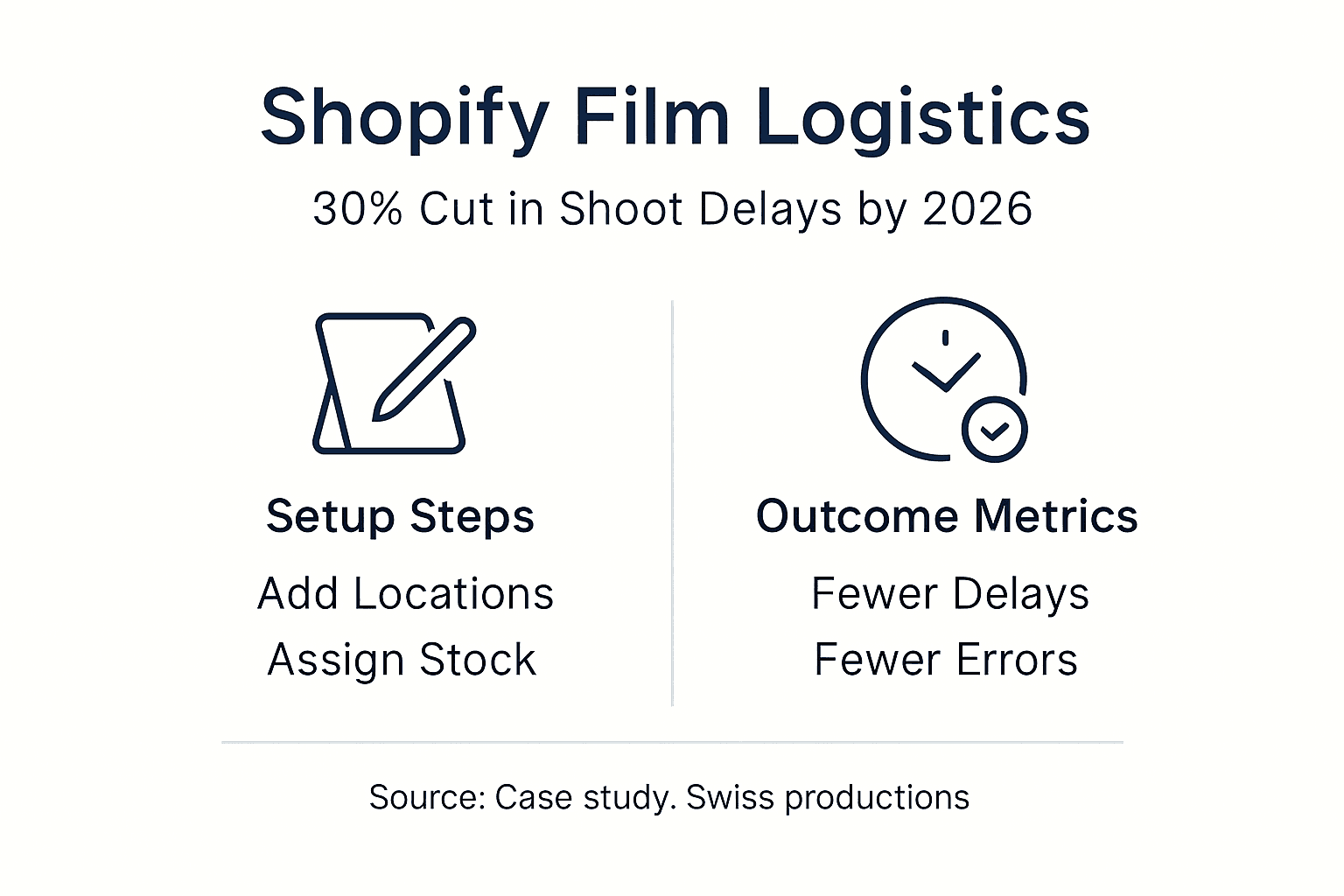
Weekly maintenance commitment keeps your system running smoothly and maintains data accuracy. Expect to spend three to five hours weekly on activities like processing transfers, reconciling discrepancies, updating stock counts, and reviewing alerts. This time investment prevents larger problems that consume far more resources when they escalate.
Quantified improvements appear within weeks of proper implementation. You’ll see reduced delays from equipment unavailability, fewer instances of overselling gear that’s already committed to other shoots, and decreased time spent manually tracking equipment locations. Most companies report 25-40% reduction in inventory-related delays and errors.
Metric | Timeline | Effort Required | Expected Impact |
Initial setup | 1-3 days | 8-24 hours | Full multi-location tracking operational |
Weekly maintenance | Ongoing | 3-5 hours | Sustained accuracy and reliability |
Error reduction | 2-4 weeks | Minimal after setup | 25-40% fewer delays and overselling incidents |
ROI realization | 1-3 months | Initial investment plus maintenance | Reduced losses, improved client satisfaction |
Pro Tip: Schedule your weekly maintenance windows during low-activity periods, typically Monday mornings or Friday afternoons when fewer orders process. This timing minimizes disruption to active productions and lets you focus on data quality without constant interruptions.
Measurable benefits extend beyond error reduction. You’ll gain better visibility into equipment utilization rates, helping you identify underused assets that could be sold or reassigned. Improved forecasting capabilities let you plan equipment purchases based on actual demand patterns rather than gut feelings.
Track key performance indicators monthly to quantify your system’s value. Monitor order fulfillment time, inventory accuracy rate, stockout frequency, and equipment utilization percentages. Share these metrics with stakeholders to demonstrate the return on your Shopify investment and justify ongoing maintenance resources.
Streamline Your Film Production Logistics with Our Swiss Support
Setting up Shopify inventory locations solves equipment tracking challenges, but managing international film shoots in Switzerland requires expertise beyond inventory systems. You need local knowledge, trusted crew connections, and logistical coordination that keeps productions running smoothly. Our full-service video production support handles permits, equipment sourcing, location scouting, and transportation so you focus on creative execution.
[

We’ve coordinated productions across Swiss locations for over 20 years, managing the complex logistics that make or break international shoots. Whether you need to understand video production costs in Switzerland or want expert help to manage production for seamless shoots, our team delivers reliable support that keeps your project on schedule and on budget. Contact us for a free consultation to discuss your next Swiss production.
FAQ
What is a Shopify Inventory Location and why is it important for film shoots?
A Shopify inventory location is a physical site where you store and manage stock, tracked separately within your Shopify system. This allows tracking across multiple warehouses, retail stores, or third-party logistics partners simultaneously. For film shoots, it’s essential because equipment must be available at the right place at the right time, and multi-location tracking prevents delays and double-booking errors.
How do I prevent overselling and stockouts when managing multiple Shopify locations?
Use order routing priority settings to control which location fulfills orders first, and set reorder alerts that trigger when stock drops below safe levels. Regular physical stock counts ensure your digital records match actual equipment availability, catching discrepancies before they cause fulfillment problems. Combining automated alerts with manual verification creates a reliable system that prevents overselling.
What safety measures should I take when storing and transporting film equipment?
Secure storage locations with controlled access systems, security cameras, and alarm monitoring to protect valuable gear from theft. Use GPS tracking devices on high-value equipment during transport between locations or to shoot sites. Implement sign-out procedures requiring dual signatures for expensive items, and conduct inspections when equipment returns to verify condition and completeness.
How long does it typically take to set up and maintain Shopify multi-location inventory for film production?
Initial setup usually completes within one to three days based on the number of locations and SKU count in your catalog. Ongoing maintenance requires around three to five hours weekly to process transfers, reconcile discrepancies, and review alerts. This time investment delivers 25-40% reduction in inventory errors and equipment delays, making it worthwhile for productions managing substantial gear across multiple sites.
Recommended
