
Production Planning and Control Excel—Streamline Filmmaking


Managing production across Swiss cities with an international crew means juggling schedules, budgets, and resources in real time. Filmmakers often turn to Excel’s flexibility for production planning and control because it combines user-friendly structure and instant accessibility. While dedicated software exists, many find that Excel templates offer customizable solutions to track every stage of a shoot. Understanding how to leverage Excel helps you coordinate logistics, keep teams aligned, and solve the daily challenges of film production.
Table of Contents
Key Takeaways
Point | Details |
Production Planning and Control | Excel serves as a centralized tool to manage schedules, resources, and budgets efficiently. It allows filmmakers to monitor project progress and make real-time adjustments. |
Template Use | Pre-built Excel templates can save time and ensure essential data is tracked from the start, allowing for customization after the initial setup. |
Integrated Systems | Connecting budget, crew management, and scheduling into a single system enhances accountability and prevents overspending and miscommunication. |
Avoiding Common Mistakes | Implementing automation for data entry and maintaining strict version control can significantly reduce errors and improve workflow efficiency in production planning. |
Defining Production Planning and Control in Excel
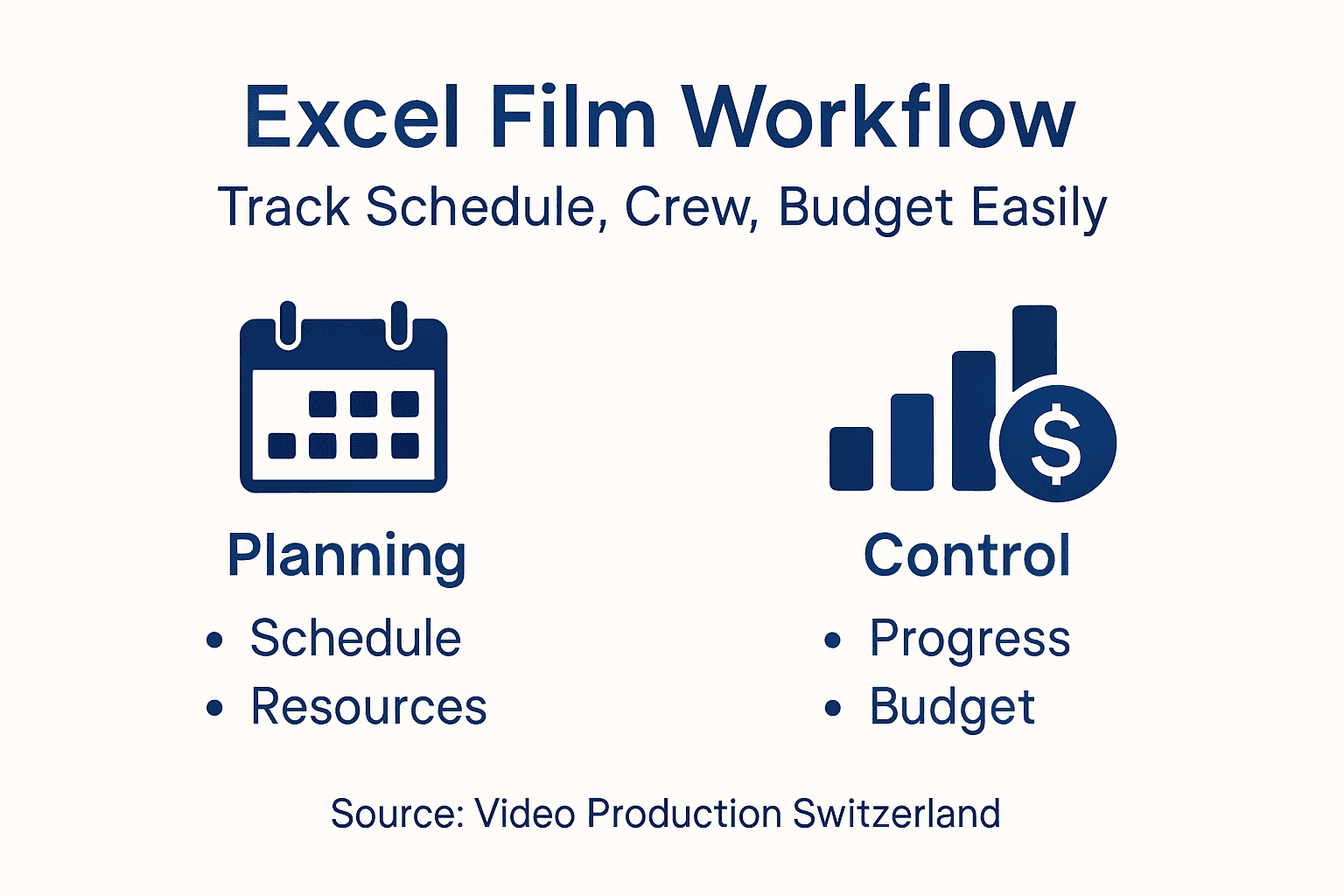
Production planning and control in Excel means creating a structured system to track schedules, budgets, resources, and timelines throughout your film shoot. It’s your digital command center where every detail—from crew assignments to equipment logistics—lives in one accessible place.
At its core, production planning is about deciding what needs to happen and when. Production control is monitoring whether it’s actually happening on schedule and on budget. Excel gives you the flexibility to build both into a single, customizable framework.
Why Filmmakers Choose Excel
Excel’s popularity in production environments stems from its accessibility and flexibility. You likely already have it installed, your crew understands it, and you can share files instantly across international teams working in different time zones.
However, it’s important to understand Excel’s limitations for production planning. The tool is prone to manual errors and struggles with version control when multiple people edit simultaneously, which can create confusion across your Swiss-based logistics and international crew coordination.
Despite these challenges, Excel remains powerful for independent productions and smaller shoots. Here’s what you gain:
Here’s how Excel production planning features compare to specialized production software:
Feature | Excel | Dedicated Software |
Customization | Fully flexible, user-defined | Template-driven with presets |
Version Control | Manual, risk of conflicts | Built-in multi-user management |
Learning Curve | Familiar, quick to start | May require training |
Automation | User-created formulas | Advanced built-in automations |
Collaboration | Limited, file sharing required | Real-time multi-user editing |
Cost | One-time license fee | Subscription or license fees |
Complete visibility of your entire production timeline
Flexibility to customize tracking methods for your specific shoot type
Easy sharing with remote crew members and stakeholders
Real-time adjustments when locations, weather, or scheduling changes occur
Cost tracking that helps you stay within budget
The Core Components
Your Excel production planning system should track three essential areas:
Schedule and Timeline – When each scene, location, or production phase occurs
Resource Allocation – Which crew members, equipment, and vehicles are assigned where
Budget and Costs – What each element costs and whether you’re tracking spending accurately
These three layers work together. If your schedule changes, it affects which crew you need and what it costs. When working with production planning software designed for film shoots, you’ll recognize these same categories, but Excel lets you build them your way.
Excel excels when your production team embraces clear naming conventions, consistent formatting, and disciplined data entry—discipline is what separates functional planning from chaos.
Real-World Application for Swiss Productions
Imagine managing a commercial shoot across multiple Swiss locations. Your Excel sheet tracks which locations you’re filming on which dates, which crew members travel to each location, equipment transport schedules, and meal costs. When a location falls through, you update the schedule once, and your resource plan automatically adjusts because of formulas you’ve built in.
This is where control becomes invaluable. You’re not just planning; you’re actively monitoring whether reality matches your plan. It’s especially critical when coordinating international crews across time zones and managing permits in different Swiss cantons.
Pro tip: Start with a simple three-sheet system: one for the master schedule, one for crew and equipment assignments, and one for budget tracking. This prevents overwhelming complexity while giving you essential production control.
Essential Excel Templates for Film Logistics
Stop building your production tracking system from scratch. Pre-built Excel templates save you hours of setup and ensure you’re tracking the right data from day one. Templates give you a proven framework that other filmmakers have tested across hundreds of shoots.
Templates aren’t about limiting flexibility—they’re about starting smart. You customize them after, but you begin with a structure that actually works.
The Core Templates You Need
Every film production needs these essential Excel templates:
Call sheets – Daily crew assignments, call times, location details, and contact information
Shot lists – Scene-by-scene breakdown of what you’re filming, camera angles, and equipment needed
Production schedules – Master timeline showing when each scene or location shoots
Budget tracking – Line-by-line costs for crew, equipment, locations, and catering
Crew roster – Contact information, roles, rates, and availability across your shoot dates
Equipment inventory – What gear you own, what you’re renting, condition, and checkout dates
These free Excel templates for film production are customizable and scale from small independent shoots to larger productions with multiple crew members.
Here’s a summary of common pre-built Excel templates and their workflow benefits:
Template Type | Key Use | Workflow Benefit |
Call Sheet | Daily crew coordination | Reduces miscommunication |
Shot List | Scene-level planning | Ensures camera prep clarity |
Budget Tracker | Expense monitoring | Prevents overspending surprises |
Crew Roster | Contact and role tracking | Simplifies payment processing |
Equipment Inventory | Asset tracking | Avoids gear loss or overlap |
Call Sheets: Your Daily Operations Command
The call sheet is your most-used template. It tells every crew member exactly where to be, when to arrive, and what to bring. For international productions coordinating across Swiss locations and time zones, a clear call sheet prevents chaos on shoot days.
Your call sheet should include:
Scene numbers and descriptions being filmed that day
Crew call time and wrap time estimates
Location address with parking and access information
Weather forecast and any location-specific notes
Equipment trucks and transport departure times
Meal times and catering details
Emergency contacts for all crew members
A well-organized call sheet sent 24 hours before shooting reduces confusion and keeps your production on schedule.
Location and Budget Tracking Templates
Location scouting reports keep your findings organized. Document each potential location with photos, address, permits required, parking availability, and power access. When you return to location data later, you have everything documented instead of relying on memory.
Budget templates track actual spending against your planned costs. This matters enormously when working with international crews and managing Swiss production expenses across multiple vendors and locations.
Well-designed templates don’t just organize information—they reveal problems before they become expensive mistakes.
Customizing Templates for Your Workflow
Download templates, but immediately adapt them to your specific production needs. Add columns for Swiss canton permits if you’re filming across multiple regions. Include time zone conversions if your crew spans continents. Remove fields you don’t need.
The goal is a template that matches how your production actually works, not forcing your work into a generic template.
Pro tip: Create a master template file specifically for your production company, with your company branding, standard crew roles, and recurring vendors already filled in—this becomes your starter template for every new project.
How Excel Supports Scheduling and Resource Tracking
Excel transforms scheduling from a chaotic guessing game into a controlled, visible operation. When you build your schedule in Excel, every crew member, equipment asset, and location becomes trackable in one place. You can see conflicts instantly and adjust before they become problems.
Scheduling is where production planning becomes real. This is where theory meets logistics.
Building Your Master Schedule
Your master schedule is the heartbeat of production control. It shows every shoot day, every location, every scene in chronological order. When a location falls through or a crew member becomes unavailable, your schedule changes, and everything connected to it updates automatically if you’ve built it with formulas.

Excel production scheduling templates enable you to create detailed schedules including shoot days, scenes, locations, cast, crew assignments, and equipment needs. Date tracking and task assignment fields let you coordinate complex productions across multiple Swiss locations without missing details.
Your schedule should include:
Shoot dates – Specific calendar dates for each production phase
Scene or location blocks – What’s filming each day
Crew requirements – How many people you need and what roles
Equipment needs – Cameras, lighting, transport, catering
Call times and wrap times – When work starts and ends
Location logistics – Travel time, setup time, meal breaks
Resource Allocation and Availability Tracking
Resource tracking means knowing who is available when and where they’re needed. You build a separate resource sheet listing every crew member, their skills, availability dates, and rates. Then in your master schedule, you assign people to specific days and tasks.
This prevents double-booking your gaffer on two locations simultaneously. It catches conflicts before they create production delays. When coordinating international crews across time zones, this visibility becomes invaluable.
Using Formulas for Dynamic Updates
Excel’s true power appears when you use formulas to link your schedule and resources together. Progress tracking and resource management formulas support dynamic tracking of crew availability and equipment use. When you change a shoot date, formulas automatically update which crew members are needed and whether they’re available.
Built-in filtering tools let you view schedules by crew member, location, equipment type, or any other category you need.
Your schedule becomes useless if nobody updates it—discipline in maintaining accuracy is what separates working schedules from abandoned spreadsheets.
Real-Time Adjustments for Swiss Shoots
Weather changes, locations fall through, talent cancels. Your Excel schedule handles these changes because it’s flexible. Update the shoot date, and your resource assignments automatically shift.
For international productions with crews scattered across time zones, visual scheduling tools like Gantt charts within Excel show dependencies and timing clearly. Everyone sees when their work impacts others.
Pro tip: Color-code your schedule by location, crew department, or priority level—this creates instant visual recognition and helps spot scheduling conflicts at a glance.
Integrating Budgeting and Crew Management Tools
Your budget and crew management shouldn’t live in separate spreadsheets. When they’re disconnected, crew cost changes don’t automatically update your budget, and you lose visibility into one of your largest expenses. Integration means one system where budget decisions and crew assignments talk to each other.
Integration creates accountability and prevents budget surprises mid-shoot.
The Budget-Crew Connection
Every crew member has a rate. Every rate affects your budget. When you build crew assignments into your schedule, those assignments should automatically pull from your crew management sheet and update your budget calculations.
Film budget templates with crew management organize expenses across departments including cast, crew, equipment, locations, and post-production. These templates feature dedicated sheets to log crew roles, contact details, and payment tracking, streamlining financial oversight and personnel management in a unified system.
This integration happens through formulas. When you assign your gaffer to five shoot days, a formula multiplies their daily rate by five and adds it to your crew budget line. Change the rate or the number of days, and the budget updates automatically.
Building Your Integrated System
Your integrated Excel system needs three connected sheets:
Crew roster sheet – Names, roles, rates (daily, weekly, or per-project), and contact information
Schedule sheet – Who works which days and what they’re responsible for
Budget sheet – Formulas that pull crew costs from the other sheets and calculate totals
This structure eliminates manual data entry between systems. Update someone’s rate once, and it cascades everywhere they appear in your budget.
Tracking Payments and Compliance
When filming wraps, you need to know exactly who to pay and how much. Your integrated system shows actual hours worked versus planned hours. This catches scope creep—when crew worked more days than budgeted—before invoices arrive.
For international productions managing Swiss production logistics and crew coordination, this integration prevents payment disputes. Everyone sees the same numbers.
Department-Level Budget Tracking
Your budget breaks down by department: camera crew, lighting, production assistants, craft services, and so on. Each department has crew assignments and corresponding costs.
Budgeting spreadsheets help indie filmmakers monitor funds and track department expenses while managing crew lists. This departmental structure reveals which areas consume budget fastest and where you can adjust.
When your gaffer works overtime, the camera department budget increases. You see it immediately instead of discovering it during post-production reconciliation.
Integrated budgeting and crew management turns Excel from a record-keeping tool into a control system that prevents financial disasters.
Dashboard Monitoring
Create a summary dashboard that pulls from all three sheets. Show budget versus actual, departmental spend, crew utilization, and cost per shoot day. This dashboard becomes your command center for production control.
When budget variance alerts trigger, you adjust crew assignments or scope immediately, not after the damage is done.
Pro tip: Use conditional formatting in your budget sheet to color-code when departmental spending exceeds 80% of budget—this provides visual warning before you overspend.
Common Mistakes and Workflow Optimization Tips
Excel production planning fails not because of the tool, but because of how people use it. The mistakes are predictable, and the fixes are straightforward. Learning what breaks Excel workflows saves you from expensive production delays.
Most problems stem from discipline issues, not Excel limitations.
The Error Trap: Manual Data Entry
Every time you manually type data into multiple sheets, you create an opportunity for mistakes. Your schedule says your gaffer works five days. Your budget sheet says six. Which one is correct? Neither. You’ve lost control.
Manual data entry errors and lack of real-time updates cause inefficiencies such as missed deadlines and resource misallocation. When version control fails and multiple people edit conflicting schedules, your production spins into chaos.
The solution is automation. Build formulas that pull data from source sheets rather than retyping it. If your crew roster changes, every sheet using that data updates automatically.
Version Control Chaos
You email your schedule to the team. Three people open it and make changes. You receive three different versions back. Which changes matter? Which override others? This is where Excel breaks production coordination.
Implement strict version management:
Keep one master file in a shared location, never email copies
Use file naming with dates: “Schedule_2024-01-15_FINAL”
Restrict editing permissions so only the production manager updates the master
Create read-only copies for crew members who only need to view information
Lock cells that contain formulas to prevent accidental deletion
Shared cloud storage like Google Drive or Microsoft OneDrive prevents the email version chaos that destroys coordination.
Pre-Production Planning Shortcuts
Filmmakers often underestimate scheduling and budgeting by rushing logistics. Casting, location scouting, and permit acquisition take longer than expected. When you compress these timelines, mistakes multiply.
Dedicate sufficient time to detailed pre-production planning. Build contingency into your schedule and budget. Secure all permissions early, especially in Swiss cantons with different permit requirements.
Integration Failures
Your Excel system works only if every sheet talks to every other sheet. If budget doesn’t connect to crew assignments, and crew assignments don’t connect to schedule, you’ve built three separate spreadsheets that don’t function as a system.
Optimize by automating data inputs between sheets and maintaining clear communication channels among team members through your Excel system.
Workflow Optimization Checklist
Implement these practices immediately:
Automate everything possible – Use formulas, not manual entry
Lock the master file – Prevent accidental changes
Create read-only crew copies – People see their assignments, not the whole production
Document your formulas – Future you will thank present you
Test changes before live use – Try updates on a backup file first
Schedule weekly reviews – Catch discrepancies before they compound
Excel succeeds when treated as a living, connected system requiring discipline, not as a static record-keeping tool.
Pro tip: Create a backup of your master file every Friday with the date in the filename—this protects against catastrophic data loss and gives you a recovery point if something breaks.
Take Full Control of Your Film Production Planning with Expert Swiss Support
Struggling to keep your production planning and control seamless while using Excel spreadsheets? The risks of manual errors, version conflicts, and scattered data can quickly derail your schedule, budgets, and crew coordination. If your shoot involves complex logistics across multiple Swiss locations, international crews, or permit challenges, you need a reliable partner who understands these nuances.
[

At Video Production Switzerland, we specialize in transforming your Excel-based production plans into stress-free realities. With over 20 years of experience handling permits, trusted local crew sourcing, equipment logistics, and location scouting throughout Switzerland, we bridge the gap between detailed digital planning and flawless on-site execution. Stop battling the chaos of manual updates and disconnected spreadsheets. Connect your master schedules, resource tracking, and budgeting with expert operational backup designed specifically for Swiss productions.
Ready to turn your production plan into a smooth, on-time shoot? Start with a free consultation and discover how our dedicated logistical management can elevate your project at Video Production Switzerland. Explore how our customized support aligns with your Excel workflows and ensures your international shoot runs without costly surprises or coordination headaches.
Frequently Asked Questions
What is production planning and control in Excel for filmmaking?
Production planning and control in Excel involves creating a structured system to track schedules, budgets, resources, and timelines throughout a film shoot, allowing filmmakers to monitor and manage their productions effectively.
Why do filmmakers prefer using Excel for production planning?
Filmmakers prefer Excel for its accessibility, flexibility, and ease of sharing files across teams. Many film professionals are already familiar with Excel, making it a practical choice for managing production logistics.
What are the essential components to track in an Excel production planning system?
The essential components include the schedule and timeline, resource allocation, and budget and costs. These areas work together to ensure that changes in one aspect reflect accurately across the system.
How can templates enhance production planning in Excel?
Templates streamline production planning by providing a predefined structure that saves time and ensures important data is tracked from the beginning. They can be customized to fit the specific needs of a production after initial setup.
Recommended
